> ## Documentation Index
> Fetch the complete documentation index at: https://docs.formae.io/llms.txt
> Use this file to discover all available pages before exploring further.
# Release a version
> Publish a plugin version by pushing a git tag, and pull a bad release with yank.
A registered plugin has no versions until you publish one, and versions come
from git tags. When you push a semver tag, the hub builds the plugin from that
commit and publishes the version. This guide covers cutting a version and, if you
need to, pulling one back.
Tag the commit you want to release with a semver tag, prefixed with `v`, that
matches the `version` in `formae-plugin.pkl`. Then push the tag.
```bash theme={"languages":{"custom":["/languages/pkl.json"]}}
git tag v0.1.0
git push origin v0.1.0
```
The tag is what the hub turns into a published version, so it must be a
semantic version such as `v0.1.0` or `v1.2.3`.
When the tag arrives, the hub builds the plugin from that commit, runs its
checks, and publishes the version. A build takes a few minutes. You do not
trigger anything else; pushing the tag is the whole action.
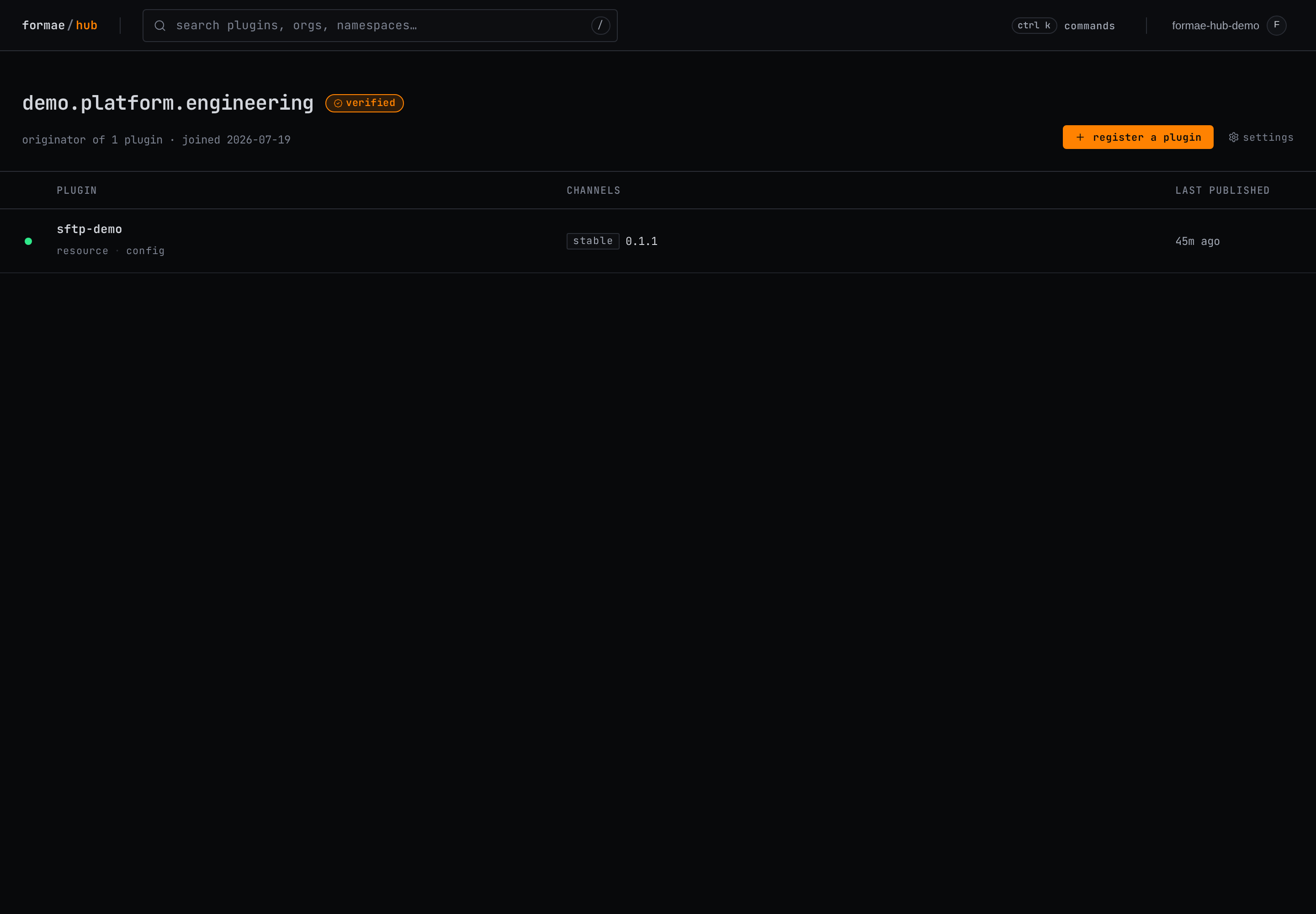
The published version appears on your organization page with its channel and
publish time.
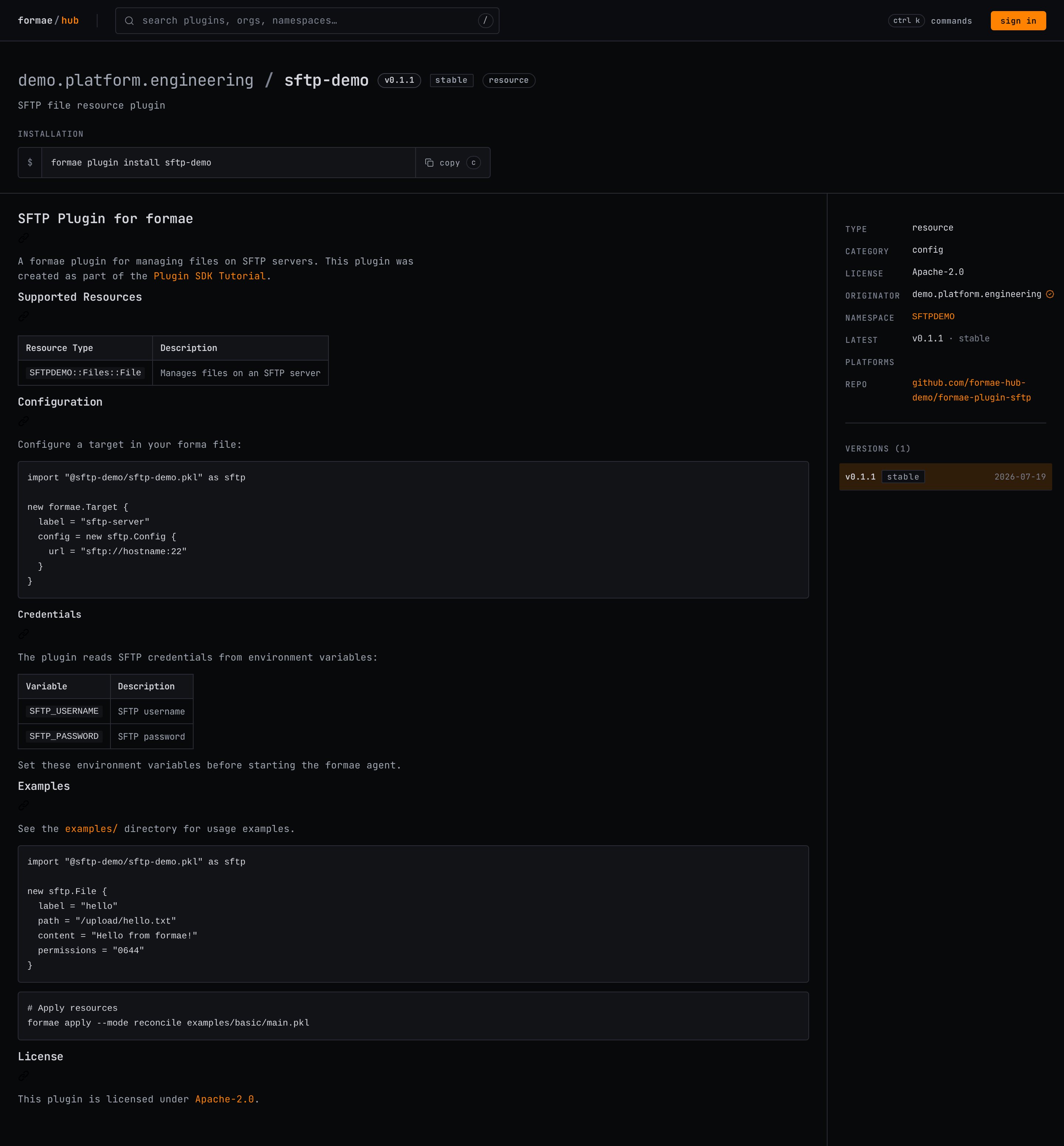
 On the plugin page, the version is now installable with `formae plugin
install`, and the page renders the plugin's README, supported resources, and
license.
On the plugin page, the version is now installable with `formae plugin
install`, and the page renders the plugin's README, supported resources, and
license.
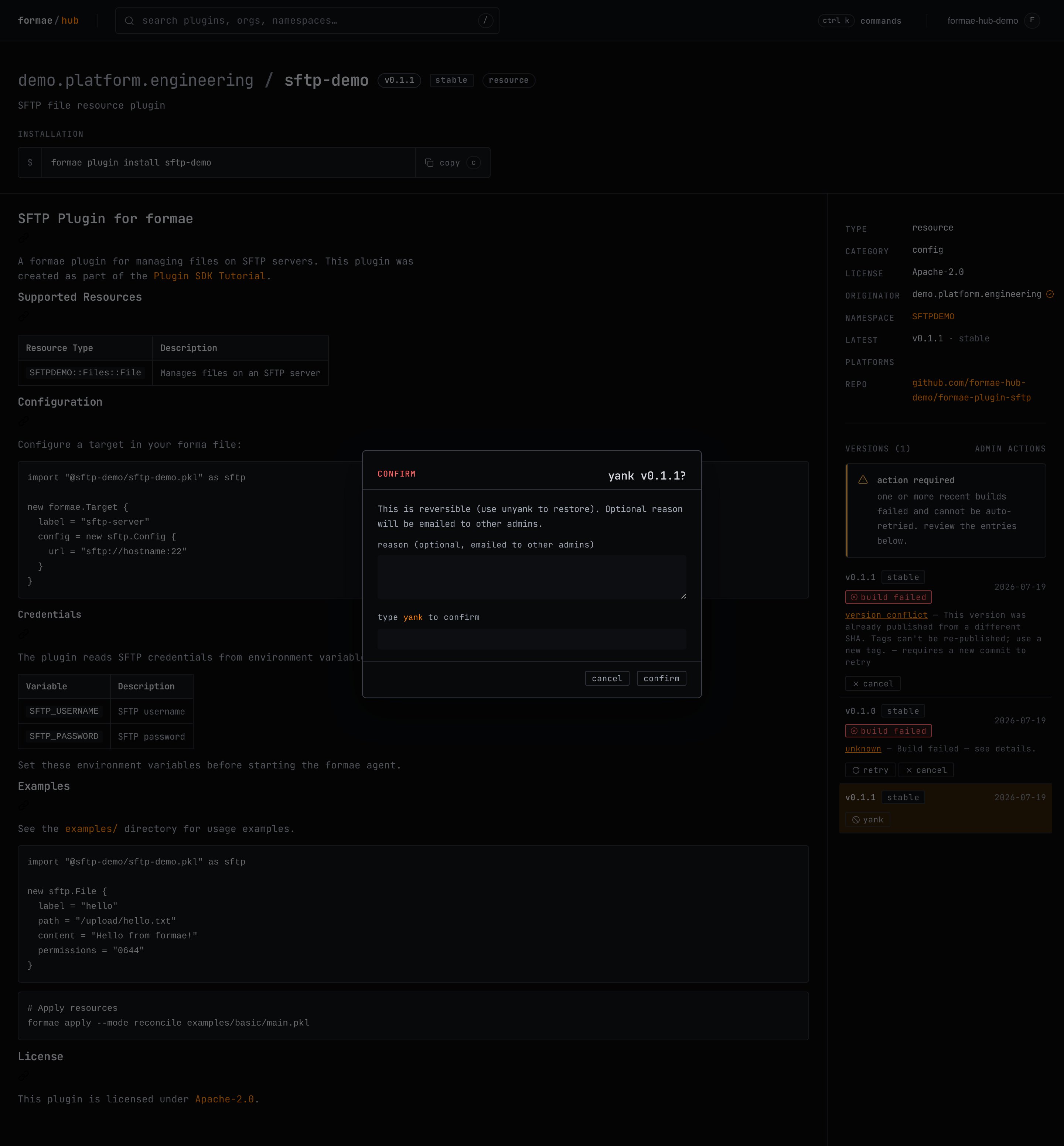
 If a published version turns out to be broken, yank it. Yanking soft-deletes
the version so it can no longer be installed, and it emails the other
organization admins an optional reason. Yanking is reversible: unyank restores
the version. Confirm the action by typing `yank`.
If a published version turns out to be broken, yank it. Yanking soft-deletes
the version so it can no longer be installed, and it emails the other
organization admins an optional reason. Yanking is reversible: unyank restores
the version. Confirm the action by typing `yank`.
 A published version's tag is fixed to the commit it was built from. To ship a
fix, publish a new version with a new tag rather than moving the old one. Moving
a published tag fails; see
[Troubleshoot a build](/plugin-development/guides/troubleshoot-a-build).
## See also
* [Publish a plugin](/plugin-development/guides/publish-a-plugin): register the plugin before you release a version.
* [Troubleshoot a build](/plugin-development/guides/troubleshoot-a-build): read build failures and recover from them.
A published version's tag is fixed to the commit it was built from. To ship a
fix, publish a new version with a new tag rather than moving the old one. Moving
a published tag fails; see
[Troubleshoot a build](/plugin-development/guides/troubleshoot-a-build).
## See also
* [Publish a plugin](/plugin-development/guides/publish-a-plugin): register the plugin before you release a version.
* [Troubleshoot a build](/plugin-development/guides/troubleshoot-a-build): read build failures and recover from them.